Rehab & Construction · Excel
Construction Draw and Reimbursement Tracker
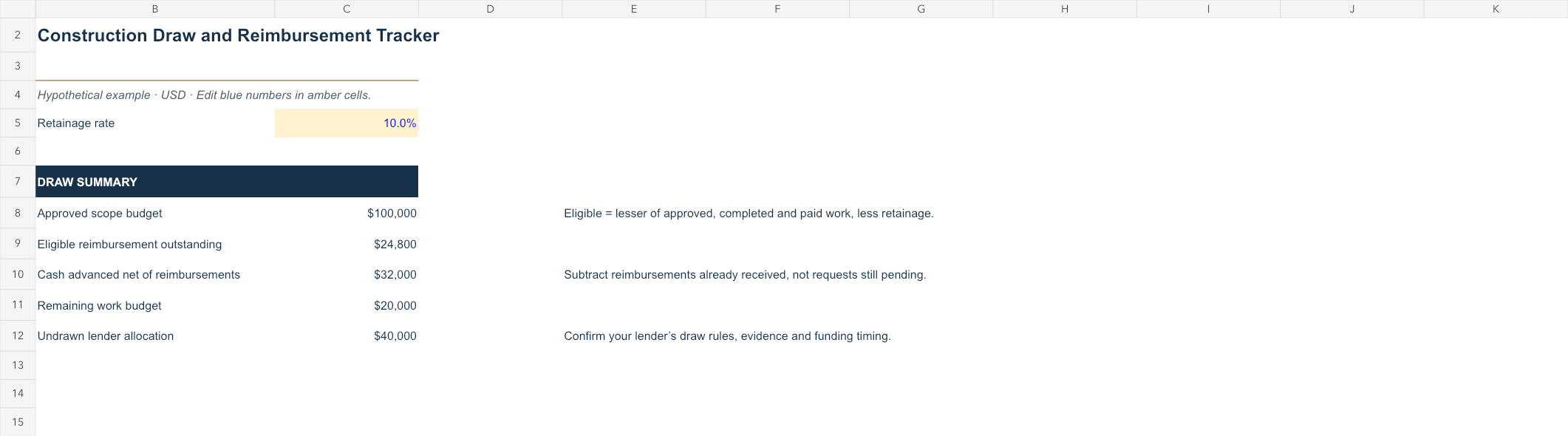
Track completed work, retained amounts and lender reimbursements without treating an approved draw as cash received.
What you enter
- Line-item approved budget
- Completed work and cash paid
- Retainage, reimbursements and lender allocation
What you get
- Eligible reimbursement still outstanding
- Cash advanced before reimbursement
- Remaining work and undrawn allocation
How to use it
- Submit your email to unlock the workbook or tool. Any PDFs below download directly without an email.
- Save a working copy, review the instructions and replace the example with your records.
- Check the results against your lender’s terms and retain a dated copy for the property.
Excel workbooks contain editable inputs and formulas. Example assumptions are illustrative; they are not current market quotes or financing commitments.