Rehab & Construction · Excel
Fix-and-Flip Offer Analyzer
Download a fix-and-flip offer analyzer. Work backward from resale value, project costs and target profit, then compare the offer with your available cash.
When to use this resource
Start with a supported resale assumption, then enter acquisition expenses, work, holding costs and selling costs. Set the desired profit before deciding what the property can cost. Keep the resale case distinct from any possible rental refinance.
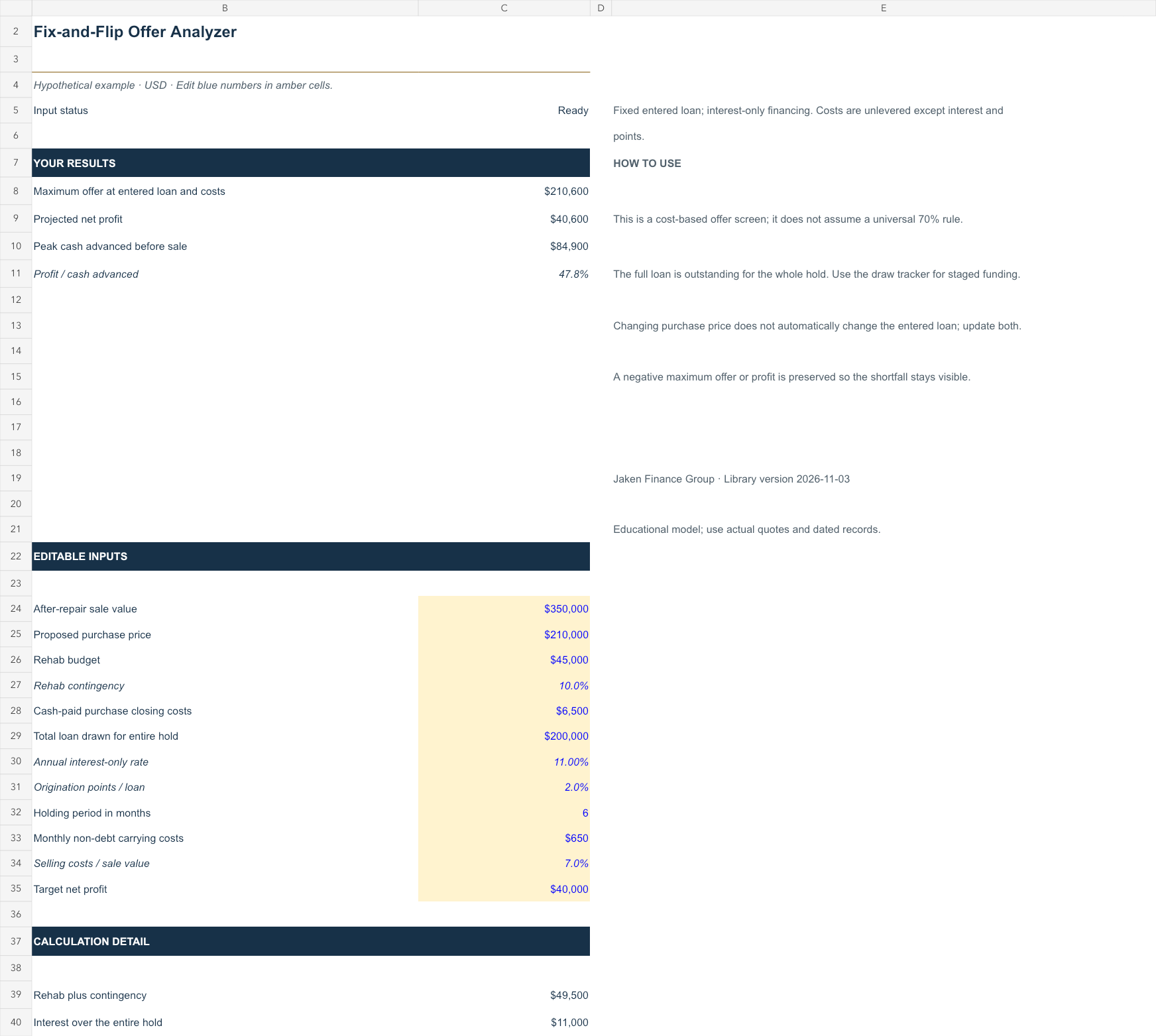
What you enter
- ARV, rehab and holding period
- Loan, interest, points and sale costs
- Purchase price and target profit
What you get
- Maximum offer at the entered loan amount
- Projected net profit
- Cash invested and cash return
How to use it
- Submit your email to unlock the workbook or tool. Any PDFs below download directly without an email.
- Save a working copy, review the instructions and replace the example with your records.
- Check the results against your lender’s terms and retain a dated copy for the property.
Excel workbooks contain editable inputs and formulas. Example assumptions are illustrative; they are not current market quotes or financing commitments.
What to check before relying on the result
The maximum offer and the maximum loan answer different questions. A deal can satisfy a leverage limit while producing inadequate profit or demanding more cash than the sponsor has. Review all three outputs before committing a deposit.