Financing · Excel
Refinance Break-Even Analyzer
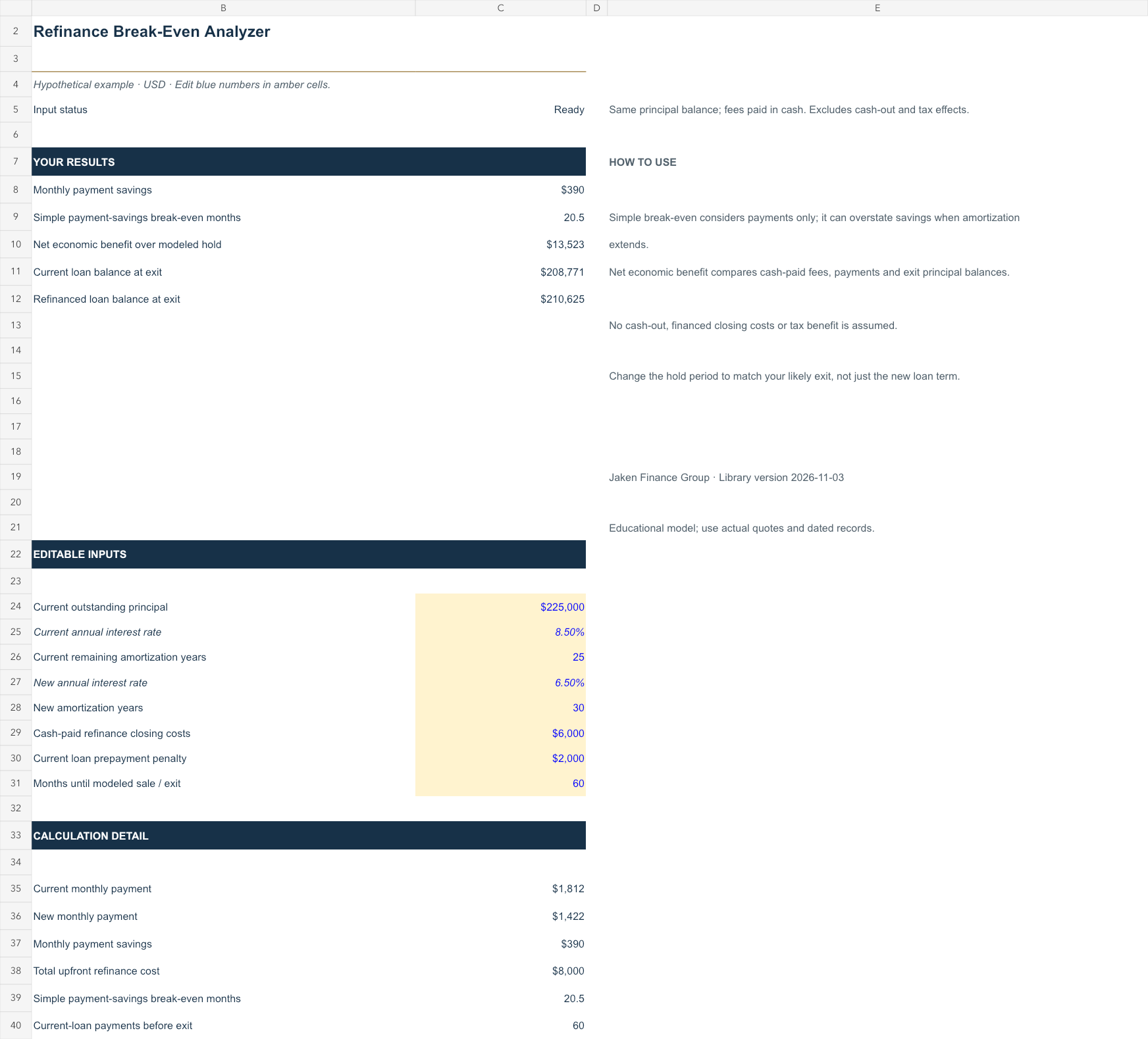
Download a refinance break-even workbook. Compare keeping a loan with a same-balance refinance using closing fees, payment savings and remaining exit debt.
When to use this resource
Use this comparison for a same-balance refinance so extra borrowing does not distort the savings test. Enter the existing loan’s remaining terms, the proposed replacement terms, closing costs and expected holding period.
What you enter
- Current balance, rate and remaining term
- New rate and amortization
- Cash-paid fees, penalty and planned hold
What you get
- Monthly payment savings
- Simple payment-savings break-even
- Net economic benefit including debt balances
How to use it
- Submit your email to unlock the workbook or tool. Any PDFs below download directly without an email.
- Save a working copy, review the instructions and replace the example with your records.
- Check the results against your lender’s terms and retain a dated copy for the property.
Excel workbooks contain editable inputs and formulas. Example assumptions are illustrative; they are not current market quotes or financing commitments.
What to check before relying on the result
A simple fees-divided-by-payment-savings calculation misses differences in principal repayment. Review the remaining balances at the same exit date as well. Taxes, deductibility and opportunity cost require a separate analysis with your advisers.