Commercial & Portfolio · Excel
Rental Portfolio Dashboard
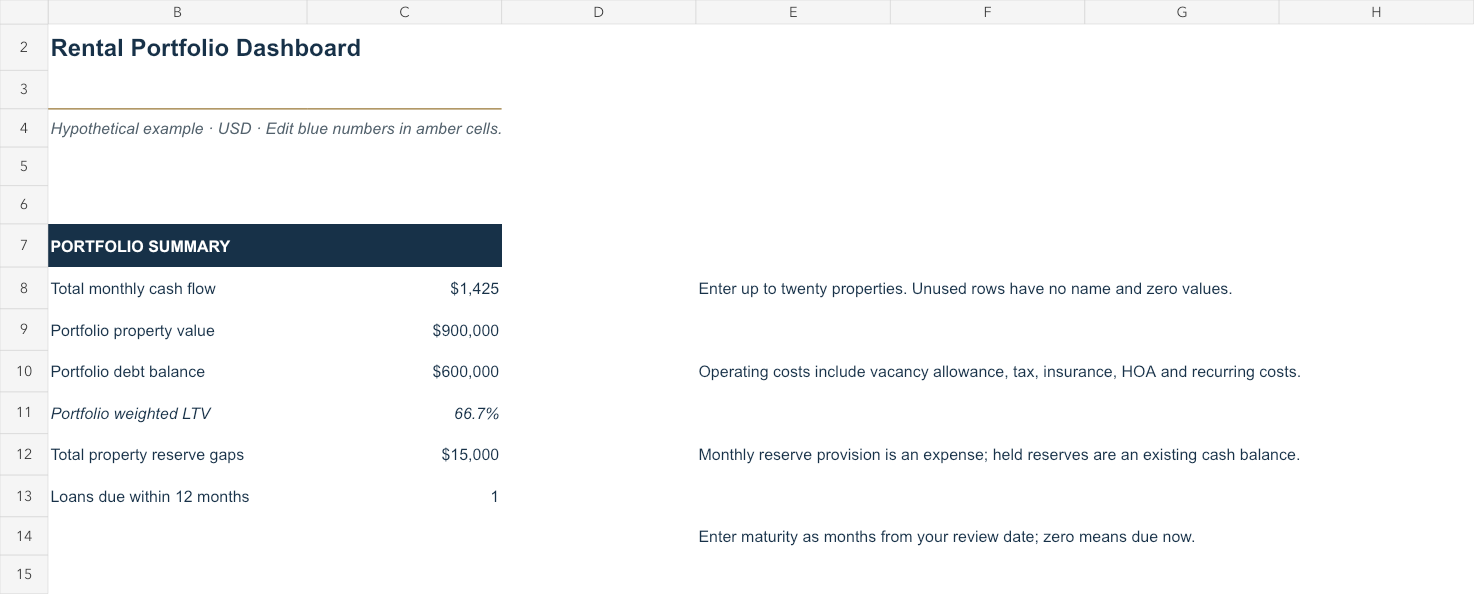
Download a rental portfolio dashboard for up to twenty properties. Review property cash flow, debt, weighted leverage, reserve gaps and upcoming maturities.
When to use this resource
Enter each property on its own line using consistent definitions for value, income, debt and reserves. Add maturity dates before aggregating the portfolio. Reconcile the dashboard with current statements when a loan balance or payment changes.
What you enter
- Property values and debt balances
- Monthly rent, operating costs and debt service
- Reserves and months until maturity
What you get
- Portfolio monthly cash flow
- Weighted portfolio LTV
- Reserve gaps and upcoming maturities
How to use it
- Submit your email to unlock the workbook or tool. Any PDFs below download directly without an email.
- Save a working copy, review the instructions and replace the example with your records.
- Check the results against your lender’s terms and retain a dated copy for the property.
Excel workbooks contain editable inputs and formulas. Example assumptions are illustrative; they are not current market quotes or financing commitments.
What to check before relying on the result
Strong portfolio totals can hide one property’s cash shortage or near-term balloon. Review the individual assets as well as weighted leverage. Cash held in one ownership entity may require additional steps before it can support another property.